






Google Sheets, Excel, and LibreOffice: know the differences!
When we talk about spreadsheets, three tools stand out as the main options: Google Sheets, Microsoft Excel, and LibreOffice Calc.
Each of them has its own characteristics, advantages and limitations, and Choosing the best one largely depends on the intended use, whether it's for studies, teamwork, or data analysis in Excel within a corporate environment.
In this article, you will understand what spreadsheets are, how each of these tools works, and discover which Office suite is best suited to your needs.
So keep reading!
What are spreadsheets?
Before comparing the programs, it's important to understand what spreadsheets are.
A spreadsheet is a digital document divided into rows and columns, which form cells. These cells can be used to store numbers, text, formulas, and functions.
This feature makes it easier to organize information, perform calculations, and even create dynamic charts.
Today, spreadsheets are used in virtually every field:
- Personal and business financial control.
- Organization of academic or administrative data.
- Data analysis in Excel to generate strategic insights.
- Interactive reports and dashboards.
Therefore, it's no exaggeration to say that learning to use spreadsheets effectively, especially with a Professional Excel course, It is an essential skill for the job market.
Read also: How to create dashboards in Excel
What is Google Sheets?
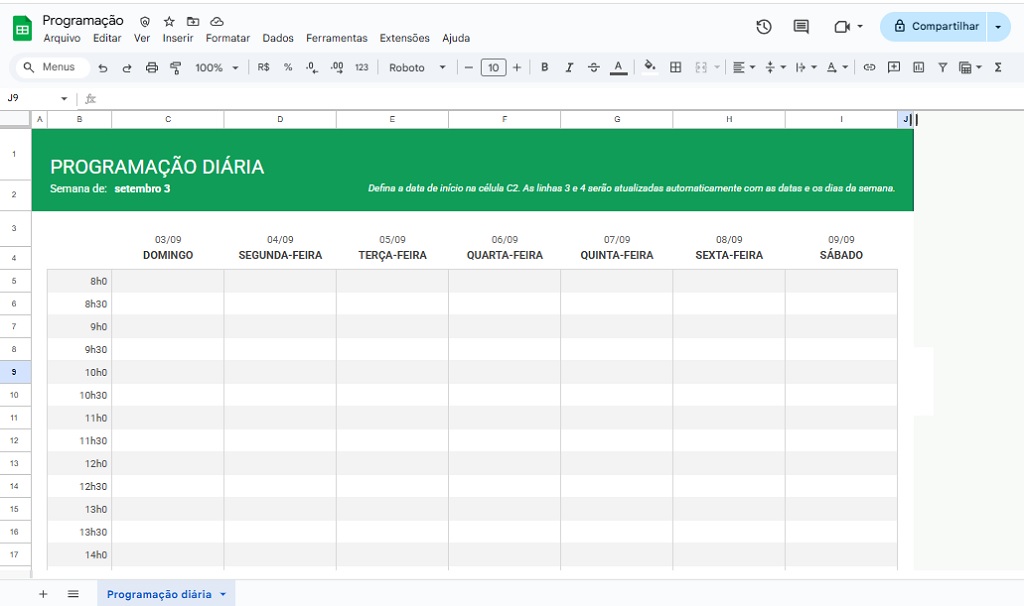
Google Sheets, also called Google Spreadsheets, is a free online spreadsheet tool offered by Google.
Key features of Google Sheets:
- It works entirely in the cloud, meaning you access it through your browser without needing to install any programs.
- Enables real-time collaboration: Multiple people can edit the same file at the same time.
- Native integration with other Google tools, such as Google Drive, Docs, and Gmail.
- Easy sharing with links, no need to send large files via email.
Google Sheets is ideal for those seeking practicality and collaboration, but it still has some limitations when compared to Excel, especially in complex calculations and advanced functions.
What is Excel?
Microsoft Excel is the world's most popular spreadsheet software and is part of the Microsoft Office suite.
Key features of Excel:
- Advanced functions for complex calculations.
- Powerful data analysis tools in Excel, such as PivotTables, Power Query, and Power Pivot.
- Professional graphics and dashboards.
- Possibility of automation with VBA (Visual Basic for Applications).
- It's widely accepted in the job market; virtually every company uses Excel.
Furthermore, Excel has extensive documentation, courses, and tutorials available, making it the top choice for those who want to work professionally with spreadsheets.
Many professionals seek out a professional Excel course precisely to master advanced functions and learn how to use the program as a strategic tool.
Another important point is that Excel is compatible with Google Sheets. For example, it's possible to easily convert Google Sheets to Microsoft Excel, exporting the file in .xlsx format.
What is LibreOffice?
LibreOffice is a free and open-source office suite, considered the leading alternative to Microsoft Office.
Their spreadsheet tool is called LibreOffice Calc and offers most of the functions found in Excel.
Main features of LibreOffice Calc:
- Completely free, no subscription required.
- Compatible with Excel files (.xls and .xlsx).
- Advanced formula and charting features.
- It can be used offline on low-performance computers.
However, when it comes to professional Excel, LibreOffice still lags behind in terms of performance, integration, and data analysis capabilities.
Even so, it's an excellent option for students and professionals who need a free and reliable tool.
Many people are also unsure whether to choose OpenOffice or LibreOffice, since both are free software packages.
The difference is that LibreOffice is a more up-to-date version and receives active community support, making it the better choice of the two.
Google Sheets or Excel: which is better?
If you've ever wondered "Google Sheets or Excel: which is better?", the answer depends: for online collaboration, Google Sheets comes out on top; but for advanced features, Excel is still more complete.
What is the difference between Google Sheets, Excel, and LibreOffice?
Now that we understand each office suite, see below the main differences:
| Feature | Google Sheets | Microsoft Excel | LibreOffice Calc |
|---|---|---|---|
| Price | Free | Paid (Office 365 subscription) | Free |
| Access | Online (cloud) | Installation on the computer (with a limited online version) | Local installation |
| Real-time collaboration | Yes | Limited (best with Office 365) | Not native |
| Advanced analysis features | Limited | Highly advanced (Pivot Tables, Power BI, VBA) | Good, but less robust. |
| Popularity in the market | High, but lower than Excel. | Extremely high | Average |
Which is the best Office version?
To find out which Office suite is best, we've separated user profiles and explained how each suite can help in specific situations. Check it out below!
- For students and casual users: Google Sheets may be sufficient, as it is practical, free, and works on any device connected to the internet.
- For those looking to save money: LibreOffice is the best option. It offers almost all the features of Excel, at no extra cost. It's an excellent alternative for those looking for LibreOffice Excel or comparing Excel vs. LibreOffice.
- For professionals and businesses: Microsoft Excel is unbeatable. It's the industry standard and essential for anyone who wants to work with data analysis in Excel, reports, dashboards, and automations.
In other words, when it comes to professional use of spreadsheets, Excel is the winner.
Investing in an Excel course is essential to take full advantage of the tool's potential and stand out in the job market.
Read also: Excel Tips: 52 Most Useful Shortcuts for You to Learn
Conclusion regarding spreadsheets
The world of spreadsheets goes far beyond simple tables of numbers. Today, choosing between Google Sheets, Excel, or LibreOffice depends on your goal.
- Google Sheets stands out for its online collaboration capabilities.
- LibreOffice scores points for being free and accessible.
- Professional Excel remains the leading reference for businesses, with advanced features and high market demand.
If you want to learn how to create reports, compare spreadsheets in Excel, analyze data, and stand out in the corporate environment, the advice is to invest in an Excel course.
This is one of the most valued skills today and can open many doors in your career.
If you haven't mastered this tool yet, it's time to change that!
Invest in a Excel course applied to Business Take a decisive step to boost your career!
In ESEG College, Here you can find an online 100% course, with a market-recognized certificate, that will help you master one of the most valued tools in the corporate world.


